Every form, filled.
Workday, Greenhouse, Lever, Ashby, iCIMS and 50+ more. Press Autofill and your details, work history, links and screening answers go in while you watch. You check it and press Submit.
Never type yourcurrent salaryagain.
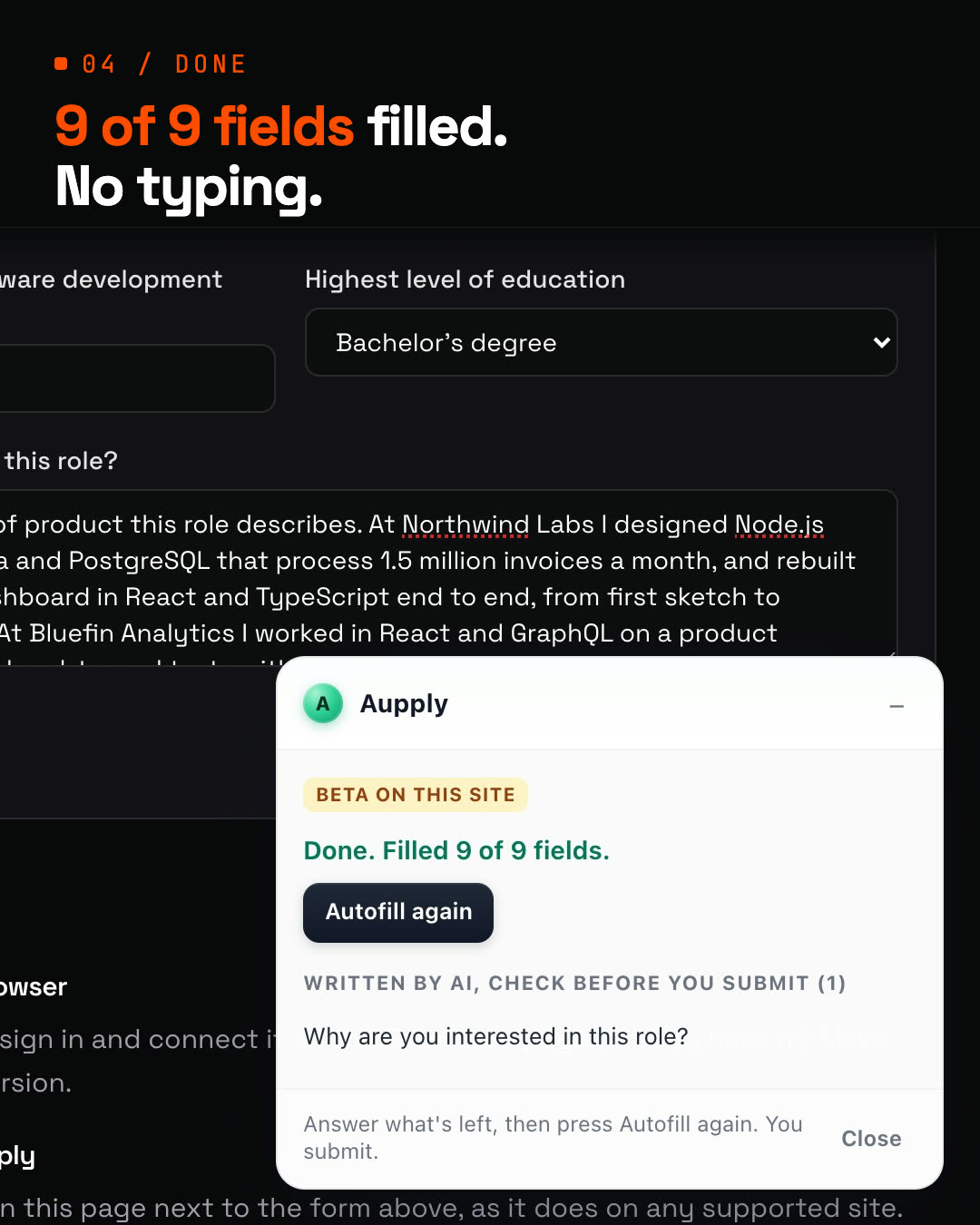
Aupply fills in job applications on Workday, Greenhouse and 50+ more sites, rewrites your resume for each job, and applies to LinkedIn jobs for you. Anything it doesn't know, it asks you. Once.
Used by 150+ job seekers · Free to start · No card to start · Chrome, Edge and Brave
Both run in your own browser, signed in as you. Autofill fills; you press Submit. On LinkedIn it applies by itself.
Workday, Greenhouse, Lever, Ashby, iCIMS and 50+ more. Press Autofill and your details, work history, links and screening answers go in while you watch. You check it and press Submit.
Turn on Rewrite resume for this job and Aupply rewords your resume toward the job's requirements before it goes into the form.
Notice period, salary, work rights: personal facts come from you. It asks the first time and fills them in everywhere after.
On LinkedIn it goes further: it searches, reads every job description, and fills in and submits each Easy Apply form in a background tab while you get on with your day.
Each LinkedIn job is matched against your resume. The wrong city, stack, years or pay is skipped before it starts.
Each application, skip and failure lands on your dashboard. Strong matches without Easy Apply are saved for you to apply to by hand.
How it works
You set it up once. After that, the daily searching and applying is Aupply's.
Upload your resume. Pick your roles, your cities and how you like to work.
Install the extension in Chrome, Edge, Brave or another Chromium browser, and connect it to your account.
On any job site, press Autofill and submit. On LinkedIn, it picks the best Easy Apply jobs every day and applies.
You set it up once. Used by 150+ job seekers · Free to start · No card to start · Chrome, Edge and Brave
Get early accessApplying for you is a job of trust. These are the lines it does not cross.
Notice period, salary, visa status: those come from you. Anything new, it asks in its side panel, then remembers.
It applies at a person's pace, with breaks, never in bulk.
On Workday, Greenhouse and every other Autofill site, it fills the form. Pressing Submit is yours.
It works inside your own browser, where you are already signed in. Your logins never reach Aupply.
Aupply is an AI browser extension for job applications, for Chrome, Edge, Brave and other Chromium browsers. Its Autofill fills in application forms on 50+ job sites, such as Workday, Greenhouse and Lever, from your profile; you check the form and submit. It can rewrite your resume for each job, toward the job's requirements, keeping your employers, titles and dates as they are. On LinkedIn it goes further: it finds recent Easy Apply jobs that fit your resume and applies to them for you, at a person's pace with breaks. 500 applications a day. It also applies on Naukri, where it keeps your profile freshly updated, and on Wellfound (both in beta), and records every application in one tracker. When a form asks for a personal fact it does not have, it asks you once and remembers the answer.
On your phone? Sign up now and install it in your computer's browser later.